
 Productivity
Track Your Work, Simply
Track work hours by project.
Export monthly reports with one click.
Time tracking app that lives in your menu bar.
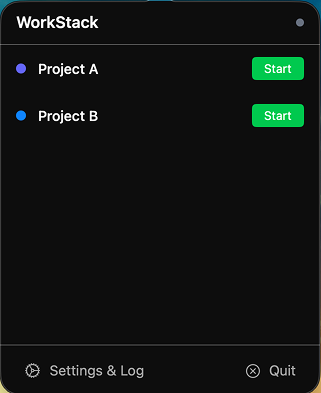
Manage multiple projects in parallel.
Start recording with one click from the menu bar.
Create monthly reports with a single click.
Lives in your menu bar for instant access while using other apps. The icon turns green when working, so you can see your status at a glance.
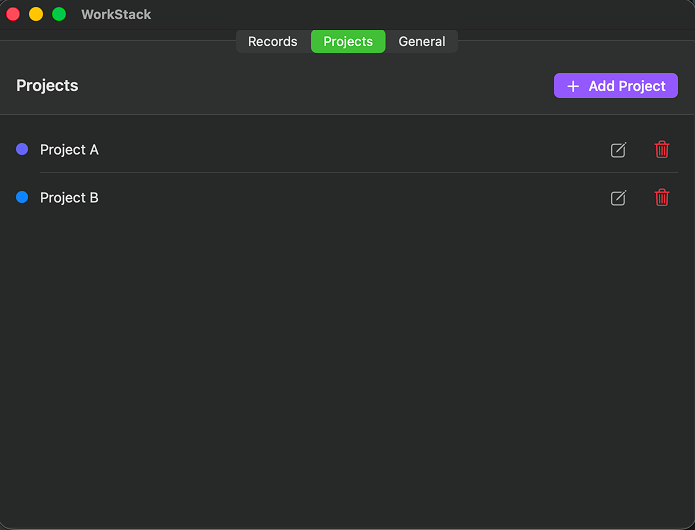
Organize multiple projects with color coding—contracts, side projects, personal work. Track hours accurately for each one.
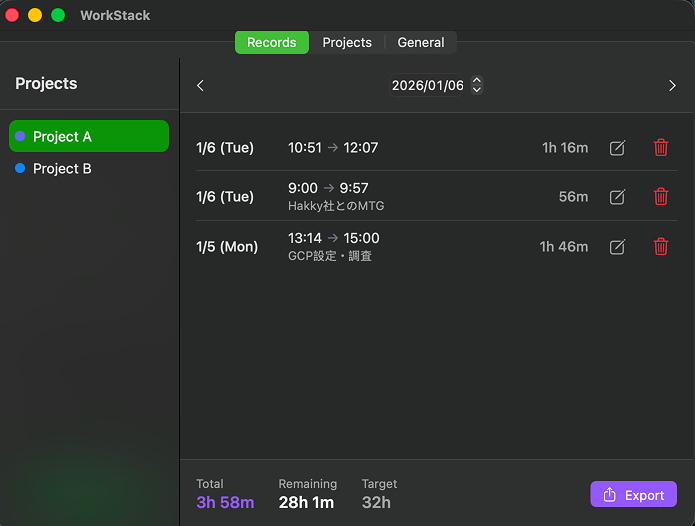
Just press start and stop buttons. It's a "clock-in" system, not a real-time timer, so you can edit records later if you forget.
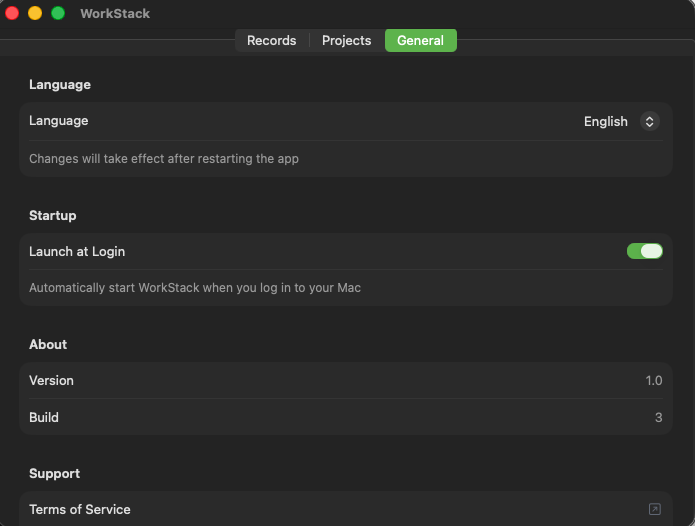
Keep it simple. Switch languages and set up auto-launch on startup—just the essentials for a smooth experience.
Export work hours to CSV by month. Set custom templates per project for easy client reporting.
View past records in calendar format. Edit records anytime—even if you forgot to stop the clock.
Accurate time reporting for multiple clients. Easy monthly report generation.
Keep main job and side work separate. Know exactly where your time goes.
Visualize your work-from-home hours. Track when and what you worked on.
See how much time you spend on hobbies. Great for tracking learning hours too.
One-time purchase, use forever
Pay once, use forever
A: All data is stored locally on your Mac. No data is sent to the cloud.
A: Currently, records are independent per device. iCloud sync is planned for a future update.
A: Refunds follow App Store policies.